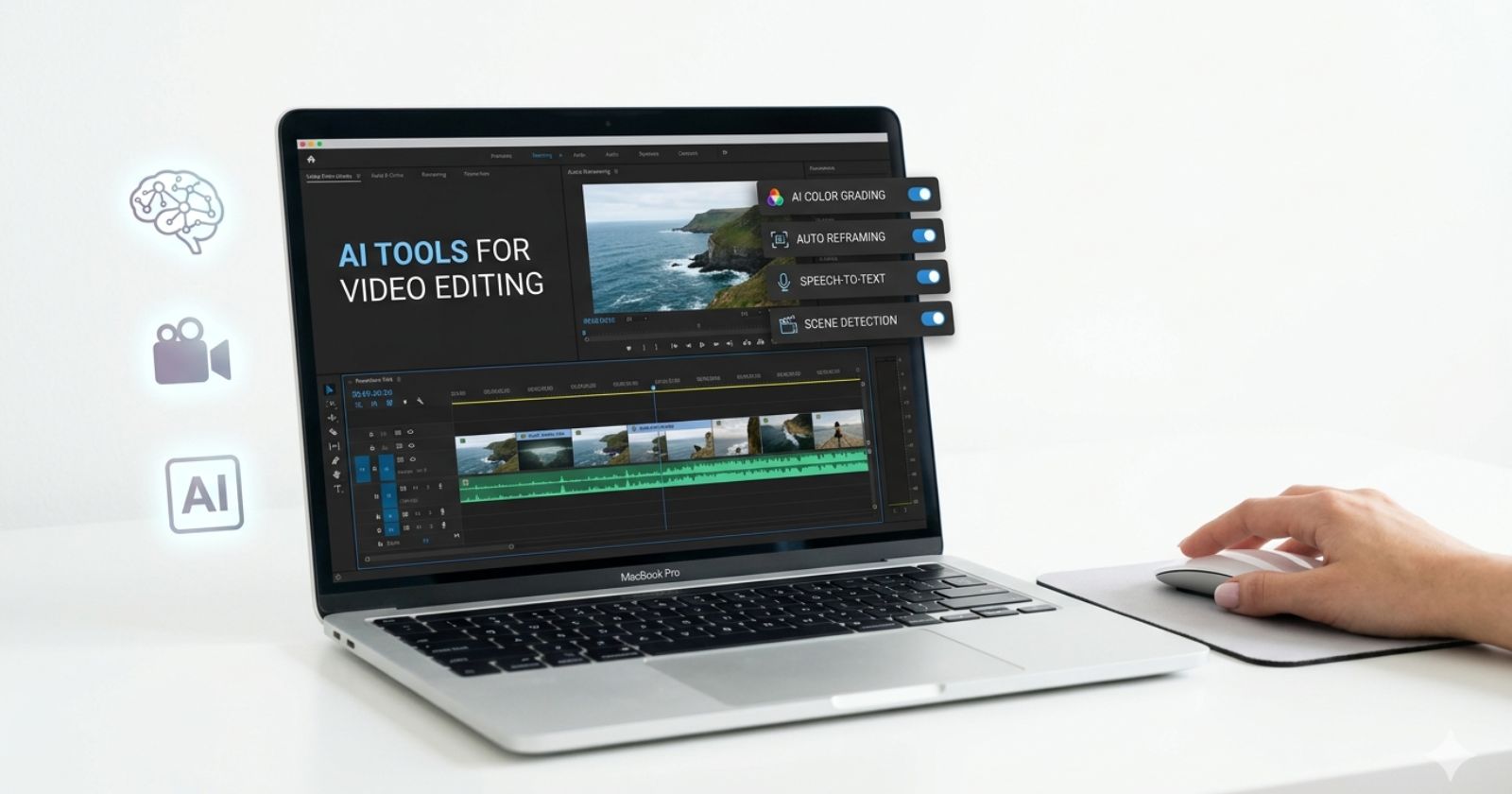
Video editing was once an unforgiving grind. A ten-minute YouTube video could swallow an entire afternoon, with manual cuts, caption syncing, color correction, silence trimming, and the slow crawl of rendering. That workflow is no longer the default for serious content creators in 2026. The best AI tools for video editing have quietly and fundamentally restructured the production process, compressing what used to take hours into tasks that now conclude in minutes.
In March 2026, MASV’s editorial team confirmed that modern AI editing platforms can now create automated transcripts with animated captions, perform transcript-based cuts, clone voices, dub content into dozens of languages, and even mask or replace objects in a scene using natural language commands, all capabilities that belonged exclusively to high-budget post-production suites just two years prior.
The scale of adoption reflects this shift. Kling AI, developed by Chinese tech company Kuaishou, hit $240 million in annual recurring revenue in December 2025, just 19 months after launch, a growth trajectory few software products achieve. Runway, long established as the gold standard for cinematic AI video, introduced Gen-4.5 with industry-leading character consistency, allowing filmmakers to maintain a character’s facial features, clothing, and body proportions across multiple shots and lighting conditions.
Adobe, for its part, integrated its Firefly generative engine directly into Premiere Pro, adding a new Object Mask feature in early 2026 that MASV reviewers described as “incredibly useful for elevating the creative possibilities of your project.” Google’s Veo 3.1 has emerged as a benchmark leader for raw video quality, while OpenAI’s Sora, announced for shutdown on March 24, 2026, leaves a gap now contested by an increasingly capable field of alternatives.
What makes the current moment particularly significant for video creators is not just the tools themselves, but the architectural shift in how video editing is conceptualized. AI has divided modern editing into three distinct operational categories: automated editing of existing footage, avatar-based and script-to-video generation, and cinematic generative models that create scenes from text or image prompts. Each category serves a different creator type and business need.
Understanding which tool belongs to which category, and matching that to a specific workflow, is now the central strategic decision every content team must make. This guide covers 21 of the most capable and current platforms available in 2026, ranked by use case, pricing, and real-world output quality, not marketing copy.
Why Video Editing AI Has Reached an Inflection Point in 2026
The acceleration of AI video tools is not accidental. It traces directly to advances in diffusion models and transformer-based architectures trained on massive video datasets, combined with fierce competitive pressure among platforms fighting for creator subscriptions. The result is a market where capabilities that cost enterprise budgets eighteen months ago now sit inside $10-per-month plans.
According to Toolradar’s April 2026 analysis, AI video editors use machine learning to automate tasks across the entire editing spectrum, including automatic scene detection, silence removal, background removal, transcript-based cut editing, auto-reframe for different aspect ratios, and one-click color matching. For a solo creator, this means the gap between raw footage and a publish-ready short video is now measured in minutes, not hours.
One data point from PostEverywhere’s 2026 review captures the scale of the time advantage: creators using AI repurposing tools report a 70 to 80 percent reduction in content production time when using the right tool for their workflow. For a YouTube creator who publishes twice a week, that is the difference between video production consuming half their work week versus a few focused hours.
The Three Categories Every Creator Must Understand
Before evaluating any specific platform, it is essential to understand that the AI video tools market in 2026 is not a single category. ALM Corp’s analysis identifies three distinct operational types, each suited to a different production need.
Category 1: AI-Enhanced Editors
Tools like Descript, CapCut, and OpusClip take existing footage and use AI to cut, caption, rearrange, clean audio, and repurpose content. These are the tools for creators who already have footage and need to get it published faster.
Category 2: Avatar-Based and Script-to-Video Generators
Platforms like Synthesia and HeyGen allow users to type a script and have a photorealistic AI presenter deliver it on screen. No camera, no talent, no filming. These are the tools for corporate training, product demos, multilingual marketing, and faceless content channels.
Category 3: Generative Cinematic Models
Runway, Kling AI, Pika, Veo 3.1, and Luma Dream Machine create video scenes from text prompts or reference images. These are the tools for filmmakers, agencies, and creative professionals who need original visual content generated from scratch.
Matching workflow to category is the most important decision in any AI video tool selection. Choosing a generative model when an AI editor would serve better wastes budget and time.
The 21 Best AI Tools for Video Editing in 2026
AI Auto-Editors and Repurposing Tools
1. Descript: Best for Transcript-Based Editing
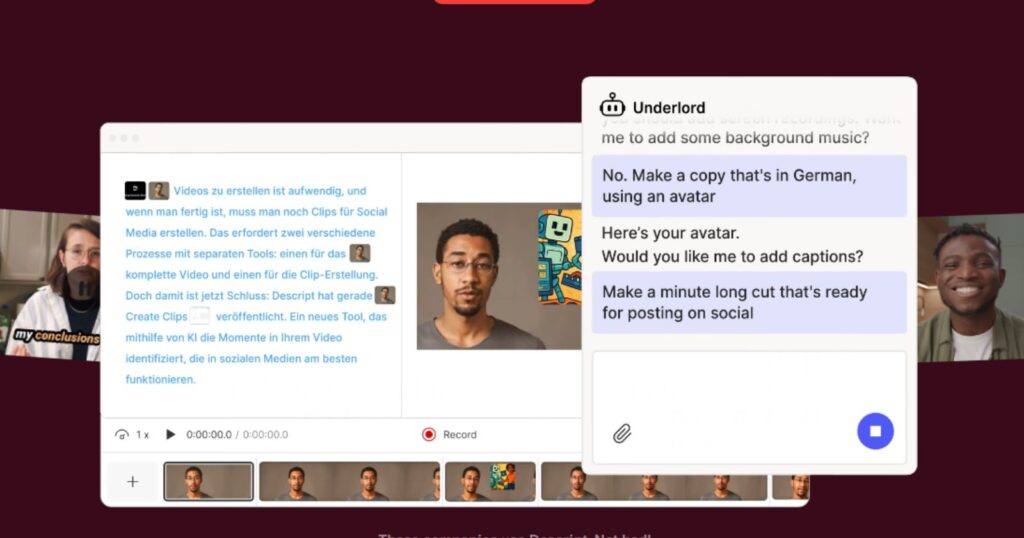
Descript transforms the editing experience by treating video as a text document. The platform transcribes audio, displays it as an editable transcript, and applies every cut made to the text directly to the corresponding video timeline. Delete a sentence in the transcript, and the video clip disappears. Move a paragraph, and the footage follows. The Collective’s March 2026 in-depth review confirmed that this approach removes entire stages from the editing workflow, particularly for podcasters, educators, and interview-format YouTube creators.
The Overdub voice cloning feature allows creators to fix verbal errors by typing a correction, with Descript regenerating the audio in the speaker’s original voice. For talking-head content, this eliminates the reshooting of takes for small verbal mistakes. Pricing runs $16/month for the Hobbyist plan, placing it in the accessible mid-range tier.
Best for: Podcasters, interview-format YouTubers, educators, and anyone whose content is fundamentally driven by spoken dialogue.
2. CapCut: Best Free AI Video Editor for Social Media
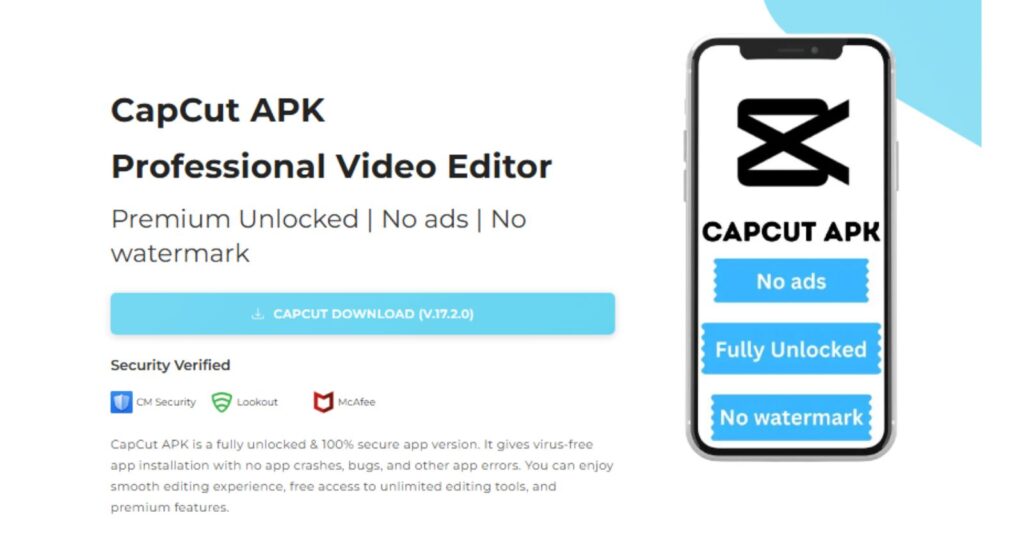
CapCut, developed by ByteDance, has grown from a TikTok companion app into a genuinely capable AI editing platform for short-form video. Its free tier is production-grade for social content. According to Techno-Pulse’s April 2026 review, the Auto Captions feature transcribes dialogue with high accuracy and formats captions automatically for mobile screens, supporting 20-plus languages. Auto Reframe detects the main subject in a video and reconfigures the aspect ratio from 16:9 to 9:16 without manual keyframing. The AI background remover works on video in real time.
The template marketplace is CapCut’s productivity multiplier; thousands of pre-built editing templates with transitions, text animations, music sync points, and color grading allow creators to produce sophisticated short-form content without motion graphics expertise. The Collective’s March 2026 analysis noted that a video requiring 90 minutes of traditional editing can be completed in 15 minutes using a well-designed CapCut template. Free plan covers most social media workflows; Pro is $7.99/month.
Best for: TikTok, Instagram Reels, and YouTube Shorts creators who need high-volume output at minimal cost.
3. OpusClip: Best for Repurposing Long Videos into Short Clips
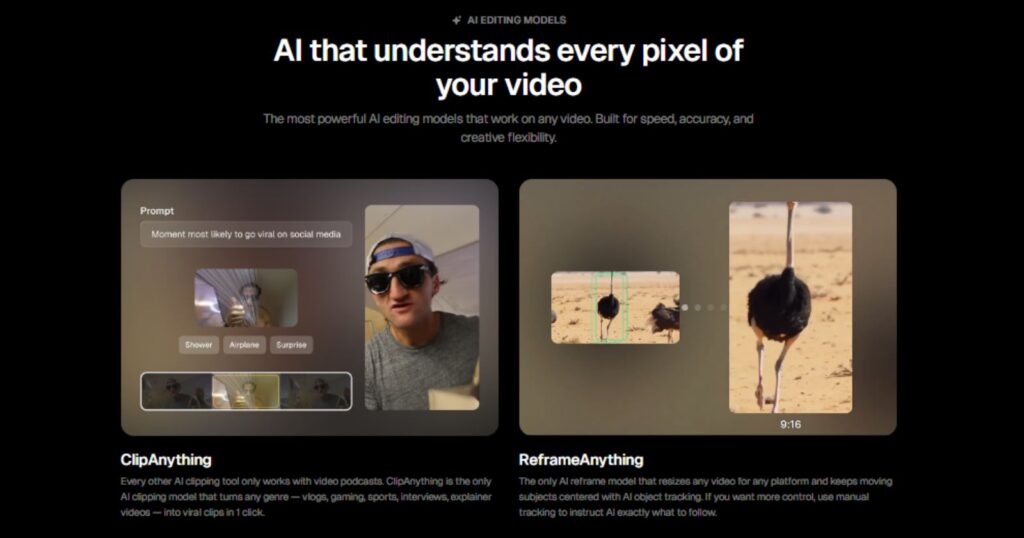
OpusClip is purpose-built for one workflow: taking long-form video and extracting the most engaging moments as short clips for social distribution. Zapier’s February 2026 review describes the process: paste a URL from YouTube, Twitch, or Zoom, and OpusClip analyzes the footage, extracts clips, enhances audio, adds auto-captions, and ranks each clip by “virality score” based on predicted engagement. Users can then schedule clips directly to YouTube Shorts, Instagram, TikTok, Facebook, LinkedIn, and X from within the platform.
Beyond clipping, OpusClip now includes subject tracking, B-roll generation, and prompt-based editing, allowing users to search for specific moments, emotions, or actions within their footage using natural language. PostEverywhere’s 2026 analysis rates it as the best AI clipping tool available. Free plan includes 60 credits monthly; Starter runs $15/month.
Best for: YouTubers, podcasters, and webinar hosts who want to extract maximum social content from a single long recording.
4. VEED.io: Best Browser-Based All-in-One Editor
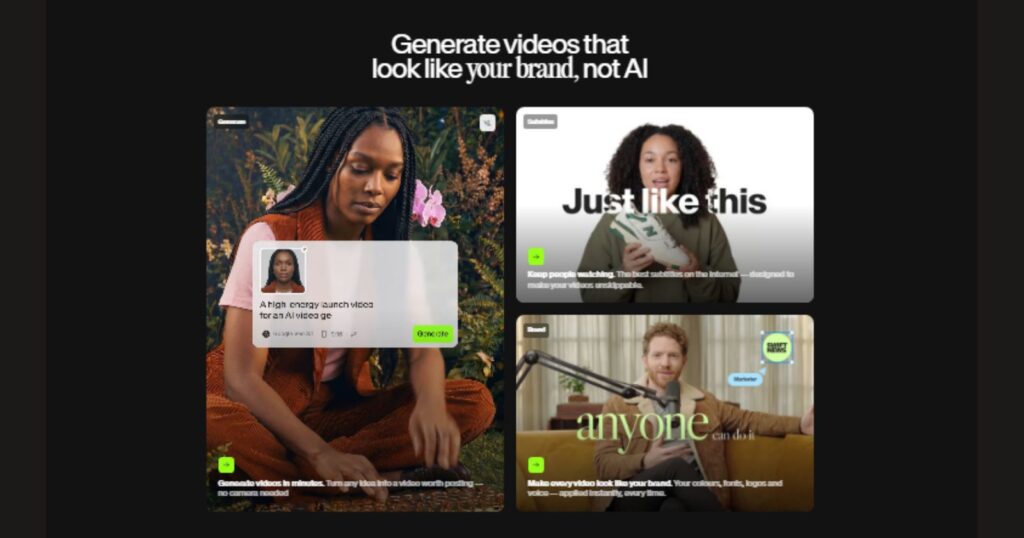
VEED operates entirely in the browser, making it device-agnostic, accessible from any computer without installation. Zapier’s review highlights VEED’s collaborative workflow: multiple team members can be assigned different stages of the editing pipeline, from footage upload through editing to social repurposing, with tasks tracked in a shared dashboard. For distributed content teams, this native collaboration layer removes the friction of file-sharing and version control.
VEED’s AI tool collection covers the entire video creation workflow, including auto-subtitles, background removal, noise reduction, screen recording, and a translation engine for multilingual publishing. Starting at $12/month.
Best for: Distributed teams and content agencies that need collaborative video editing without heavy software installation.
5. Vizard.ai: Best Budget Option for Long-Video Clipping

Vizard offers a generous free tier of 60 minutes of video processing per month, positioning it as the most accessible entry point for creators who want AI-powered repurposing without an immediate subscription commitment. The platform converts long videos into short clips with auto-captions, smart cropping, and platform-specific formatting. For solo creators testing the repurposing workflow, Vizard provides meaningful utility before any financial commitment is required.
Best for: Beginners and budget-conscious creators exploring AI video repurposing for the first time.
6. Munch: Best for Viral Clip Extraction with Analytics

Munch applies proprietary AI algorithms to analyze videos for engagement potential across multiple platforms simultaneously. It identifies clips not just for content quality but for platform-specific performance signals, what works on LinkedIn differs from what works on TikTok, and Munch accounts for these distinctions in its clip selection logic. Updated free versions in 2026 include smart cropping that automatically identifies the most engaging vertical-format content for TikTok and Instagram Reels. Pricing starts at $49/month for professional use.
Best for: Marketing teams and brand content managers who need analytics-informed repurposing at scale.
7. Submagic: Best for Caption Styling and Single-Clip Polish
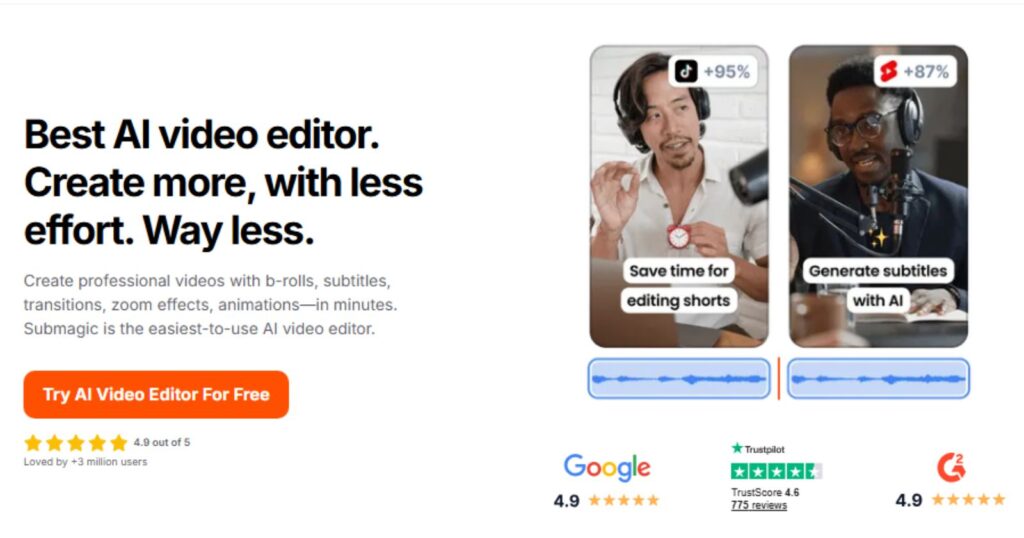
Submagic occupies a narrow but well-defined niche: taking a single short clip and producing polished, stylized captions with animated word-by-word highlighting. Reap.video’s April 2026 review identifies Submagic as the strongest option for creators who already have a finished clip and need professional captions fast. The platform prioritizes caption design aesthetics over editing depth, making it a complement to broader editing workflows rather than a standalone solution.
Best for: Creators who prioritize caption quality and visual style over full-featured editing.
8. InVideo AI: Best for Script-to-Video with Stock Assets
InVideo AI automates the process of turning a text prompt or script into a complete video by pulling from licensed stock footage libraries, adding an AI voiceover, overlaying text, and setting background music. Zapier’s review describes the workflow: add a prompt, adjust controls for style and audience, click Generate, and the platform assembles a complete video while the user works on other tasks. It is particularly suited for marketers and content teams who need to produce explainer videos, news summaries, or product demos from written briefs without existing footage.
Best for: Marketers and agencies who need to produce factual or explainer videos from text briefs at scale.
AI Text-to-Video and Generative Tools
9. Runway Gen-4.5: Best for Cinematic AI Video Generation
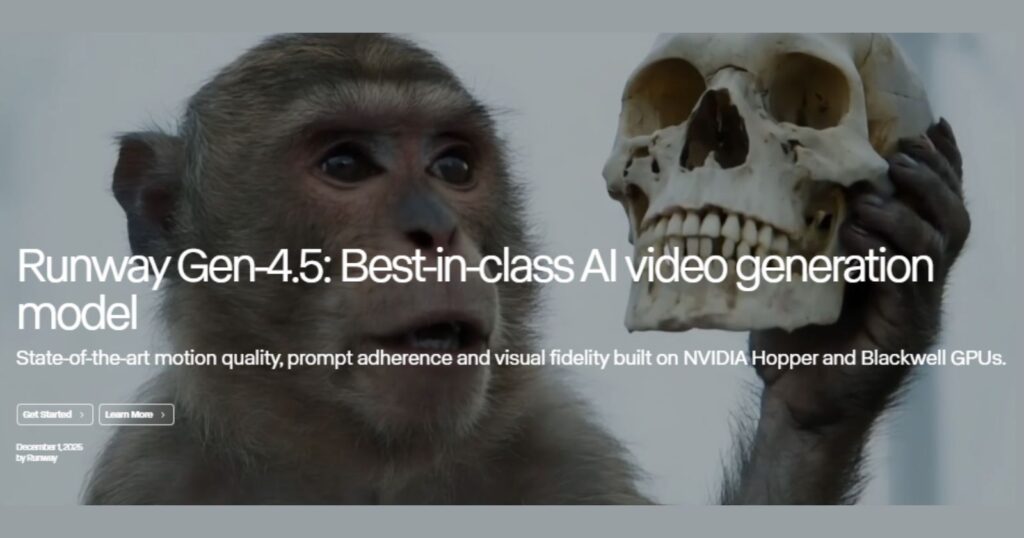
Runway remains the most complete creative suite in the generative AI video market. Max-Productive.ai’s review identifies character consistency as Runway Gen-4’s most significant technical advantage: the platform’s reference image system maintains character appearance, clothing, facial features, and body proportions across dramatically different shots and lighting conditions, a capability that previous models could not reliably deliver. This makes Runway the platform of choice for narrative video content that requires the same character to appear across multiple generated scenes.
The editing suite includes Director Mode for precise control over camera movement and scene composition, Motion Brush for painting motion onto specific regions of a frame, inpainting for removing or replacing objects, and video-to-video transforms for stylistic changes to existing footage. Runway pricing as of April 2026: Free (125 one-time credits), Standard $15/month, Pro $35/month, Unlimited $95/month.
Best for: Filmmakers, agencies, and creative professionals who need cinematic quality with complete editorial control.
10. Kling AI 3.0: Best Overall AI Video Generator in 2026
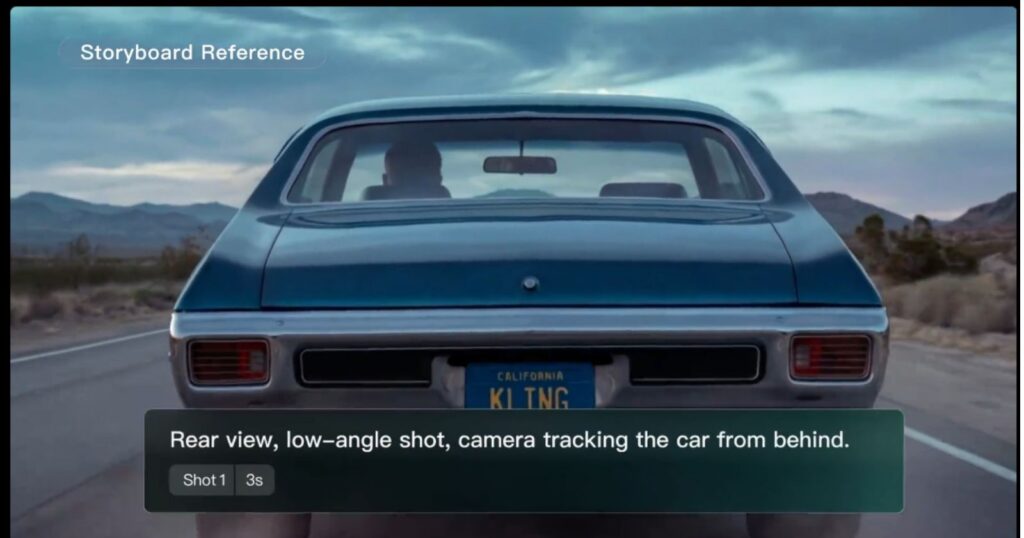
Kling AI 3.0, released February 5, 2026, currently holds the highest ELO benchmark score among all AI video models at 1,243. Max-Productive.ai’s comprehensive review confirms that no other platform in April 2026 renders human faces, body motion, skin texture, and lip-sync as accurately as Kling AI. Its maximum video length of three minutes per generation far surpasses Runway’s 40-second cap and Google Veo 3.1’s 60-second limit, a decisive advantage for creators who need longer uninterrupted sequences.
The pricing structure offers genuine value: commercial rights are included from the entry-level $6.99/month Standard plan, a feature that competing platforms reserve for higher tiers. The credit system does not roll over monthly, which requires planning for production-heavy periods. A single 10-second clip at 1080p Pro quality consumes approximately 200 credits, so budget management matters for high-volume users.
Best for: Social media content creators, product marketers, and indie filmmakers who need the best benchmark quality at a competitive price point.
11. Pika 2.2: Best for Speed and Creative Effects
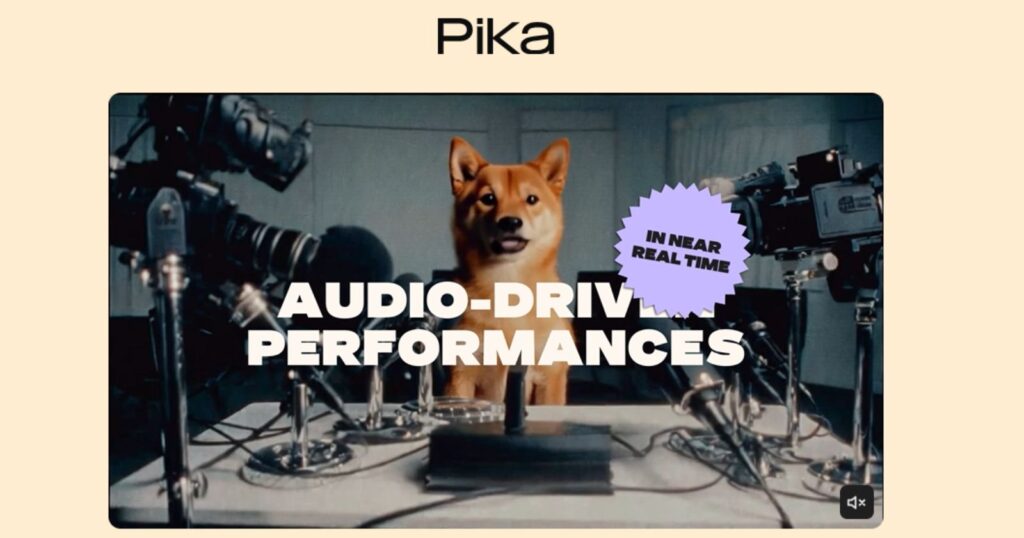
Pika’s defining strength is generation speed: clips are typically ready in under two minutes, the fastest delivery time in the market. Its “Pikaffects” feature set, including “Squish It,” “Melt It,” “Dissolve,” and “Explode”, generates dramatic visual effects from simple inputs, making it particularly effective for attention-grabbing social content. Humai’s comparative review rated Pika’s learning curve at 9/10 for usability, the most accessible of all generative video platforms. Starting at $8/month, it is also the lowest-cost paid option. Commercial rights require the Pro plan at $28/month.
Best for: Social media creators who prioritize speed and creative visual effects over photorealistic output.
12. Google Veo 3.1: Best for Raw Video Generation Quality
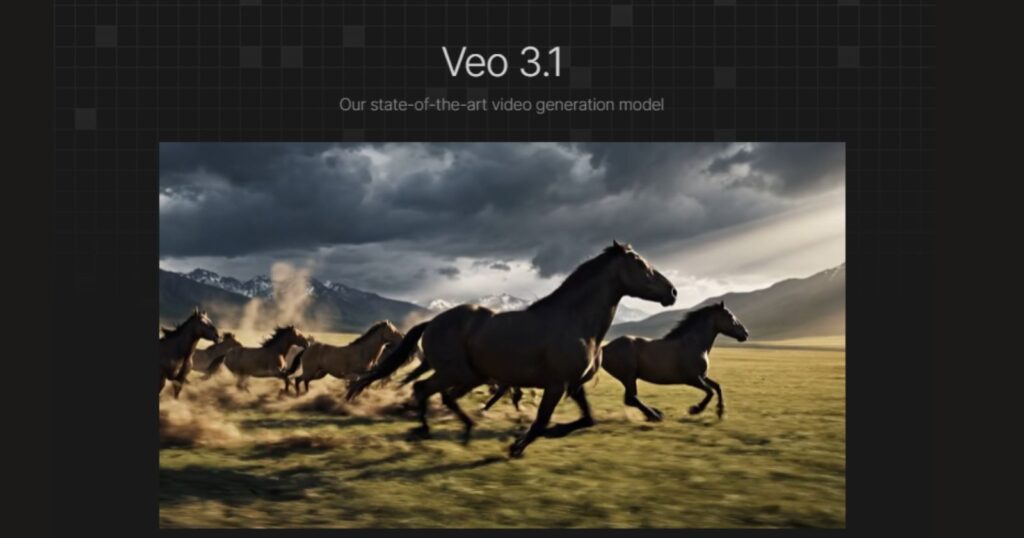
Zapier’s February 2026 review designates Google’s Veo 3.1 as the best AI video generation all-arounder on the market. The model generates video at up to 60 seconds per clip with native audio support, placing it among a small group of platforms that can produce synchronized visual and audio content in a single generation pass. The Google AI Pro plan at $28.99/month provides meaningful access, while the Ultra plan at $359.98/month is oriented toward high-volume professional production.
Best for: Professional filmmakers and agencies who prioritize raw video quality and are already integrated into Google’s ecosystem.
13. Luma Dream Machine 1.6: Best for Fast Previsualization
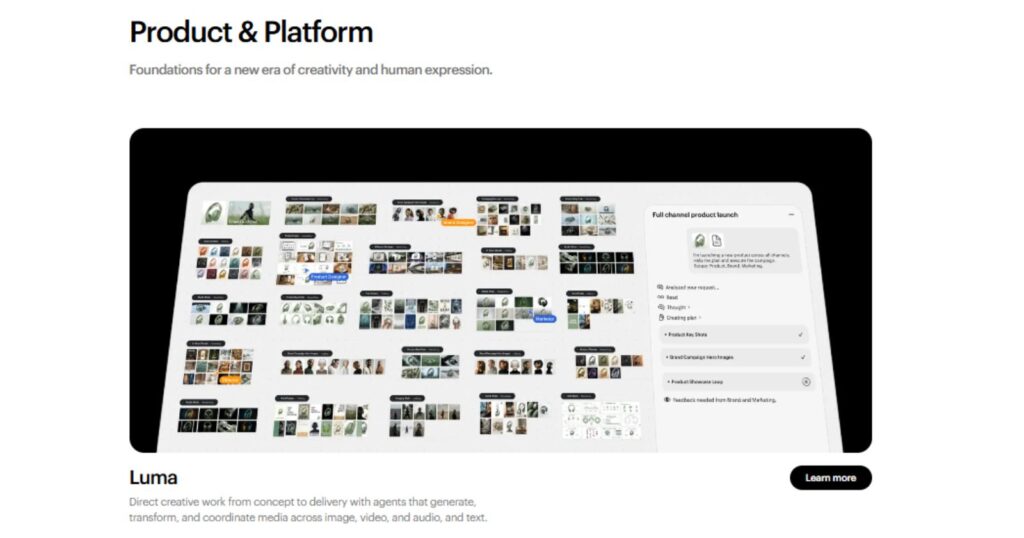
Luma Dream Machine generates video in 30 seconds to two minutes, delivering one of the fastest turnaround times for image-to-video and text-to-video workflows outside of Pika. Benchmarks position it as the optimal tool for rapid previsualization, creating quick visual references for film and advertising concepts before committing to full production. The pricing starts at $9.99/month, placing it in the accessible mid-range tier.
Best for: Film directors, creative directors, and advertising teams who need fast visual concept previews at low cost.
14. Adobe Firefly: Best for Video Editors Already in the Adobe Ecosystem
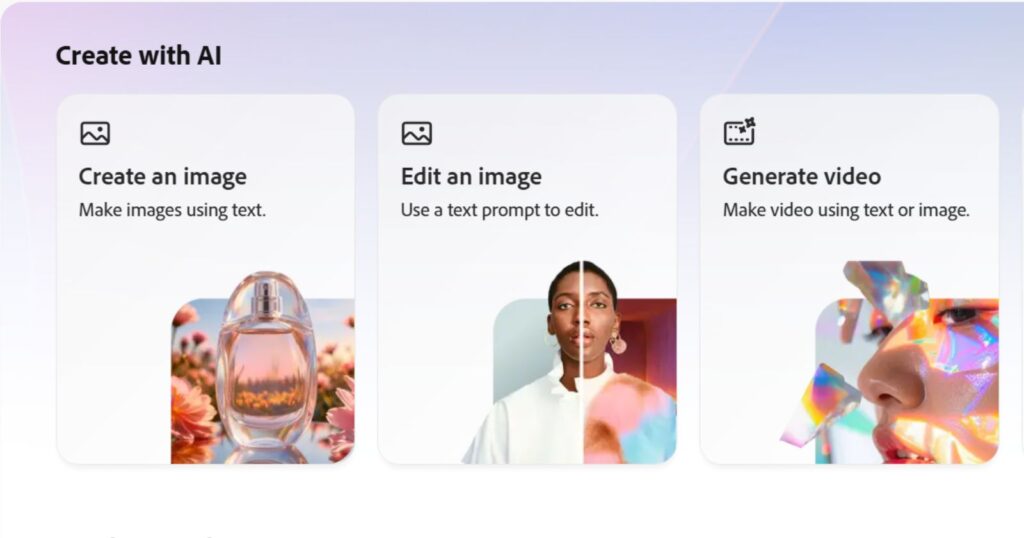
Adobe Firefly is not a standalone video generator; it is a generative AI layer embedded within Adobe Premiere Pro, After Effects, and Photoshop. For editors already working within Creative Cloud, this integration eliminates the workflow friction of exporting footage to a third-party platform and reimporting results. Zapier’s review highlights Firefly’s Generative Extend feature, which stretches clips by a few frames without reshooting, a practical tool for fixing awkward edit points. The early 2026 Object Mask release adds AI-powered object isolation for compositing and background replacement. Adobe provides contractual IP indemnification for Firefly-generated content. Starting at free (2 video generations), with Firefly Standard at $9.99/month.
Best for: Professional video editors whose primary workflow lives inside Adobe Premiere Pro and After Effects.
AI Avatar and Presentation Video Tools
15. Synthesia: Best for Corporate Training and Multilingual Video

Synthesia is the category leader for AI-powered business and training video production. The platform’s library includes 140-plus realistic AI avatars and supports over 120 languages and accents, making it the default choice for global enterprises producing localized training content and product education at scale. The workflow requires no cameras, sets, or on-screen talent, a typed script is delivered by a professionally rendered AI presenter in whatever language the audience requires.
Avatar expressions remain the platform’s primary limitation, occasionally presenting as slightly mechanical in emotionally complex scenarios. Pricing: Free for up to 10 minutes of video per month; Starter at $29/month for 120 minutes annually.
Best for: Corporate training departments, L&D teams, and global marketing teams requiring professional-grade multilingual video at scale.
16. HeyGen: Best for Interactive and Personalized Avatar Videos
HeyGen distinguishes itself from Synthesia through its interactive avatar capabilities. The HeyGen Live Avatar feature creates real-time interactive AI presenters customizable with brand-specific data and conversation logic. ALM Corp’s analysis identifies HeyGen’s voice cloning and identity transfer as particularly significant for sales outreach and personalized onboarding, where an executive’s likeness and voice can be used (with consent) to deliver customized messages at scale. Pricing: Free plan available; Essential at $99/month; Team plans on request.
Best for: Sales teams using personalized video outreach, organizations building interactive onboarding experiences, and businesses scaling executive communication.
AI-Powered Professional Editing Suites
17. DaVinci Resolve (Neural Engine): Best for Color-Critical Professional Editing
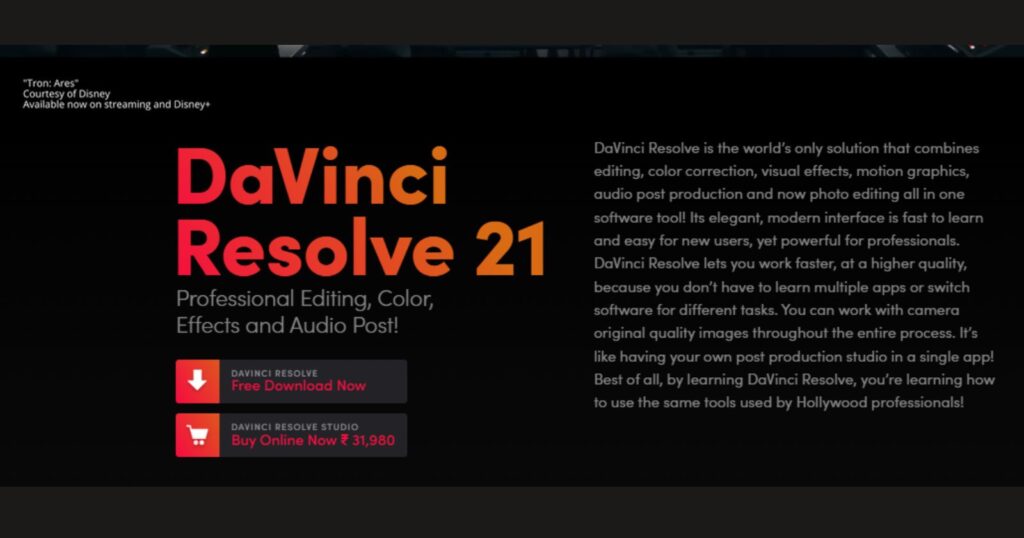
DaVinci Resolve’s free version remains one of the most capable professional editing environments available at any price. Its Neural Engine powers AI-assisted color matching, automatic scene detection, facial recognition for clip organization, and speed warp for precise slow-motion effects. Techno-Pulse’s April 2026 comparison notes that Resolve’s free version handles multi-track editing, color correction, audio mixing, and VFX compositing at a professional level that justifies remaining on it for most workflows. For editors who need the Fusion visual effects module or collaborative cloud tools, DaVinci Resolve Studio costs $295 as a one-time license.
Best for: Colorists, documentary filmmakers, and professional editors who require broadcast-grade color correction and multi-track post-production.
18. Adobe Premiere Pro (AI Suite): Best for Integrated Professional Workflows
Adobe Premiere Pro’s AI feature set has expanded significantly across recent releases, with the early 2026 Object Mask joining existing capabilities including auto-color matching, auto-reframe for multi-platform delivery, Essential Sound AI audio cleanup, speech-to-text transcription for captions, and Generative Extend powered by Firefly. MASV’s March 2026 review observes that Premiere’s AI features arrive at a more gradual pace than specialized AI-native tools, but the integration depth within Creative Cloud creates workflow continuity that standalone platforms cannot match. Starting at $22.99/month with an annual Creative Cloud subscription.
Best for: Professional editors and agencies with existing Creative Cloud infrastructure and multi-application workflows spanning Premiere, After Effects, and Audition.
19. CyberLink PowerDirector 365: Best for Speed and PC-Based Editing
CyberLink PowerDirector 365 receives continuous updates on a rolling basis rather than discrete annual releases. DIY Video Editor’s 2026 comparison rates it as the fastest rendering software in its class, with unmatched ability to scrub through timelines of highly compressed high-definition footage. Its AI-driven modules include noise reduction, object detection, motion tracking, and stabilization. For PC-based creators who need fast local rendering without subscription dependencies, PowerDirector remains the benchmark for performance.
Best for: PC-based creators and semi-professional editors who prioritize rendering speed and local processing over cloud-based AI features.
Emerging and Specialized AI Video Tools
20. Reap: Best All-in-One Short-Form Production System
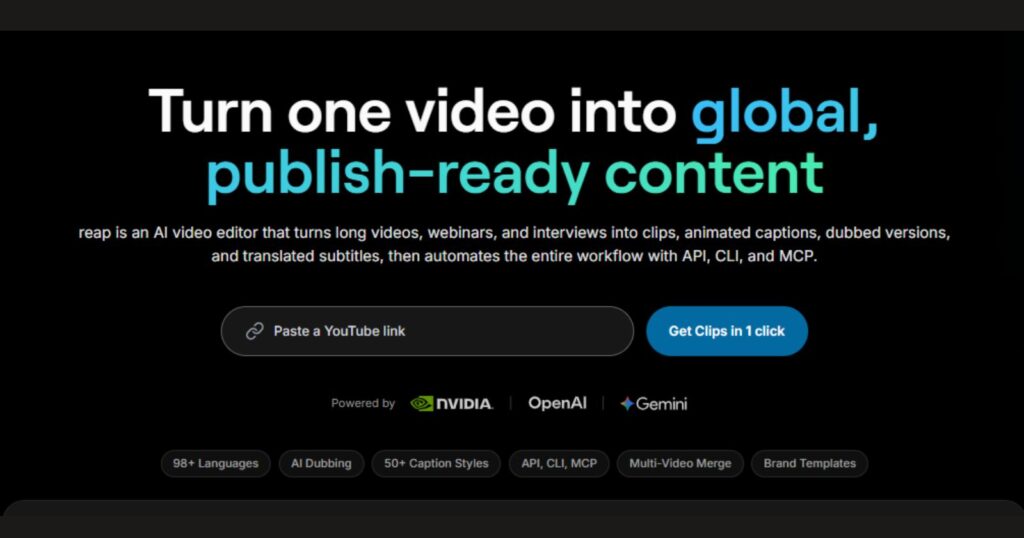
Reap positions itself as an end-to-end short-form content production platform rather than a single-function tool. Reap.video’s own analysis describes the workflow: clip long videos into multiple shorts, refine clips in a flexible editor, apply multi-language captions, auto-format for vertical platforms, add AI voiceover or dubbing, and publish on a consistent schedule, all within one interface. For creators who want to replace a stack of separate tools (clipping tool, caption tool, dubbing tool, scheduling tool) with a single platform, Reap is the most integrated option available in 2026.
Best for: Content creators and small teams who want a single platform covering the complete short-form production and distribution workflow.
21. Magic Hour: Best for Image-to-Video, Face Swap, and Lip Sync

Magic Hour consolidates image editing, video generation, face swap, and lip sync capabilities into one platform without complex setup or multiple subscriptions. WebWeQ’s April 2026 review identifies it as the best all-in-one platform for creators who move fluidly between image creation, animation, and video production within the same project. Face swap tasks produce realistic identity transfer with fast output. Lip sync results are suitable for marketing and social content. Creator plan pricing: $19/month (annual billing).
Best for: Solo creators who need image-to-video, face swap, and lip sync in one place without subscribing to separate specialized platforms.
AI Video Tool Comparison Table: Features, Pricing, and Best Use Cases
| Tool | Category | Starting Price | Free Tier | Max Video Length | Best Use Case |
|---|---|---|---|---|---|
| Runway Gen-4.5 | Generative | $15/mo | 125 one-time credits | 40 seconds | Cinematic AI video, character consistency |
| Kling AI 3.0 | Generative | $6.99/mo | 66 daily credits | 3 minutes | Best benchmark quality, social content |
| Pika 2.2 | Generative | $8/mo | Limited | 12 seconds | Speed, creative effects, social media |
| Google Veo 3.1 | Generative | $28.99/mo | 100 credits/mo | 60 seconds | Raw video quality, Google ecosystem |
| Luma Dream Machine | Generative | $9.99/mo | Yes | Varies | Fast previsualization |
| Adobe Firefly | Generative/Editing | $9.99/mo | 2 generations/mo | Varies | Adobe ecosystem integration |
| Descript | AI Editor | $16/mo | Yes | Unlimited | Transcript-based editing, podcasts |
| CapCut | AI Editor | Free / $7.99/mo | Full free tier | Unlimited | Social media, short-form video |
| OpusClip | Repurposing | $15/mo | 60 credits/mo | N/A | Long-video to short-clip conversion |
| VEED.io | AI Editor | $12/mo | Yes | Varies | Team collaboration, browser-based |
| Vizard.ai | Repurposing | Paid | 60 min/mo | N/A | Budget repurposing |
| Munch | Repurposing | $49/mo | No | N/A | Analytics-informed viral clip extraction |
| Submagic | Captions | Paid | Limited | N/A | Caption styling, single-clip polish |
| InVideo AI | Generation | Paid | Yes | Varies | Script-to-video with stock assets |
| Synthesia | Avatar | $29/mo | 10 min/mo | Unlimited | Corporate training, multilingual video |
| HeyGen | Avatar | $99/mo (Essential) | Yes | Unlimited | Personalized sales, interactive avatars |
| DaVinci Resolve | Pro Editor | Free / $295 one-time | Full free tier | Unlimited | Color-critical professional editing |
| Adobe Premiere Pro | Pro Editor | $22.99/mo | Trial only | Unlimited | Integrated professional workflows |
| PowerDirector 365 | Pro Editor | Paid | Limited | Unlimited | PC-based speed and rendering |
| Reap | All-in-One | Paid | Limited | Varies | End-to-end short-form production |
| Magic Hour | All-in-One | $19/mo | Limited | Varies | Image-to-video, face swap, lip sync |
Best AI Video Tool by Use Case
Different creators have fundamentally different needs. Matching the tool to the use case is far more valuable than selecting the highest-rated platform in the abstract.
Best AI Video Editor for YouTube Creators
For long-form YouTube content, Descript handles transcript-based editing and talking-head cleanup, while OpusClip converts finished long-form videos into Shorts with auto-captions and virality scoring. PostEverywhere’s 2026 guide recommends OpusClip specifically for generating YouTube Shorts from existing long-form YouTube content, calling it “built for exactly this workflow.”
Best AI Video Editing Tools for Instagram Reels
CapCut is the category leader for Reels production. Its Auto Reframe, animated captions, and trend-aligned template library are purpose-built for vertical short-form content. For creators who want generated visuals for Reels rather than edited footage, Pika’s fast generation speed and Pikaffects make it effective for attention-grabbing clips.
Best AI Video Editing Tools for Beginners
UlazAI’s March 2026 review recommends Pika at $8/month for the gentlest learning curve with immediate visual payoff. Kling’s free tier (66 daily credits that refresh) allows indefinite experimentation without financial commitment. For editing-focused beginners, CapCut’s free tier covers most social media needs with no cost and a minimal learning curve.
Best AI Video Editing Tools for Startups and Agencies
Runway Gen-4.5 for cinematic client content, Synthesia or HeyGen for scalable training and product demo videos, and OpusClip for social repurposing from the recommended agency stack. PostEverywhere’s pricing analysis shows this combination covers generative creation, avatar presentation, and social distribution for under $80/month in combined subscriptions.
Best Tool for Converting Long Videos into Short Clips
OpusClip and Munch lead this category. For budget-conscious creators, Vizard’s 60-minute free monthly allowance provides meaningful output before any subscription is required. The Collective’s three-platform analysis describes the optimal 2026 pipeline: Descript handles long-form editing and transcript cleanup, OpusClip extracts short clips, and CapCut applies platform-specific caption styling and formatting.
AI Video Editing Pricing Comparison: Free vs Paid
| Price Range | Tools | What You Get |
|---|---|---|
| Free | CapCut, DaVinci Resolve, Kling (66 daily credits), Synthesia (10 min/mo), Vizard (60 min/mo) | Full editors or limited generation |
| $6.99 to $15/mo | Kling Standard, Pika Basic, OpusClip Starter, Runway Standard, VEED.io | Commercial access, watermark removal, expanded credits |
| $16 to $35/mo | Descript, Reap, Runway Pro, Adobe Firefly Standard, Munch Starter | Production-grade editing, higher generation volume |
| $29 to $99/mo | Synthesia, HeyGen, Runway Unlimited | Avatar-based video at scale, enterprise features |
| $99+ | HeyGen Essential, Adobe Creative Cloud, Enterprise plans | Team collaboration, custom avatars, API access |
Latest Updates and Developments in AI Video Editing (2026)
The pace of platform updates in early 2026 has been remarkable. Here is what has changed at the major platforms as of April 2026.
Kling AI 3.0 (February 5, 2026)
Kling 3.0 launched with the highest ELO benchmark score of 1,243 among all AI video models, surpassing Google Veo 3.1, Runway Gen-4.5, and Pika 2.2. The update introduced extended clip lengths of up to 15 seconds per generation, 4K image generation, Chain-of-Thought reasoning for better scene coherence, multi-shot scene logic with consistent characters across cuts, and native multilingual audio generation in Chinese, Japanese, Spanish, and English. With OpenAI’s Sora now discontinued, Kling’s position at the top of the benchmark table is uncontested as of this writing.
Runway Gen-4.5
Runway’s latest model iteration maintains the platform’s position as the most complete creative suite in the market, with Director Mode, Motion Brush for painting motion manually onto specific regions of a frame, inpainting, video-to-video transforms, and a polished editor environment. Standard plan pricing runs $15/month with 625 credits monthly, Pro at $35/month, and Unlimited at $95/month.
Adobe Premiere Pro: Object Mask (Early 2026)
Adobe’s new Object Mask feature, released in early 2026, allows editors to isolate specific objects within video footage and apply effects, replacements, or compositing elements to them using AI-powered selection. The feature integrates with Firefly’s generative capabilities, allowing background replacement and stylistic manipulation without manual rotoscoping.
Google Veo 3.1
Google’s Veo 3.1 model is described by Zapier’s February 2026 review as the best AI video generation all-arounder on the market. Access requires a Google AI subscription, with the Pro plan at $28.99/month and the Ultra plan at $359.98/month.
Pika 2.2
Pika remains the fastest generation engine in the market, with generation times under two minutes, the fastest among all major competitors. Its signature “Pikaffects” (creative effects including “Squish It,” “Melt It,” and “Dissolve”) continue to drive engagement for social content creators. Pricing starts at $8/month, making it the lowest entry point among paid AI video platforms.
OpenAI Sora Shutdown (March 24, 2026)
Sora’s announced shutdown has redirected a significant user base toward Kling AI, Runway, and Pika, accelerating adoption at all three platforms in Q1 2026.
The Recommended 2026 AI Video Editing Workflow
For content creators producing across multiple platforms, a three-stage pipeline delivers the broadest output from the least manual effort. The Collective’s March 2026 operational analysis describes this as the most efficient structure currently available.
Stage 1: Long-Form Edit
Record and edit the primary long-form video in Descript. Use transcript-based editing to remove filler words, tighten pacing, and clean audio. Export the finished long-form video.
Stage 2: Clip Extraction
Feed the finished long-form video to OpusClip. The platform identifies highlights, formats clips for vertical platforms, adds captions, and generates a virality-ranked list of short clips. Total additional time: approximately 15 minutes of review and selection.
Stage 3: Platform Styling
Route individual short clips through CapCut for platform-specific caption animation, template-based visual styling, and aspect ratio formatting. Export for TikTok, Instagram Reels, YouTube Shorts, and LinkedIn. Total additional time beyond the initial edit: approximately 30 minutes per long-form video. Output: a complete distribution package for every major social platform.
For teams that need generated content rather than edited footage, substitute Runway Gen-4.5 or Kling AI 3.0 at Stage 1 for cinematic generative clips, then route through OpusClip and CapCut for formatting and distribution.
Conclusion
The AI video editing landscape in 2026 is not a single market; it is a collection of specialized ecosystems, each serving a distinct creator type with a distinct production need. Generative platforms like Kling AI 3.0 and Runway Gen-4.5 are competing on benchmark scores and feature depth. AI-enhanced editors like Descript and CapCut are competing on workflow integration and time savings.
Avatar platforms like Synthesia and HeyGen are competing on realism, language coverage, and corporate scalability. Repurposing tools like OpusClip and Munch are competing on clip quality, virality scoring accuracy, and distribution reach.
The practical implication for content creators and marketing teams is that selecting “the best” AI video tool is the wrong question. The right question is which category of tool matches the primary production bottleneck, and then which platform within that category offers the best combination of quality, pricing, and workflow fit. A solo YouTuber whose editing time is the constraint needs Descript. A brand that needs 50 localized training videos needs Synthesia. A filmmaker who needs cinematic AI-generated footage needs Runway or Kling.
What is clear from the current state of the market is that the democratization of video production is not a future promise; it is already operational. The $28.99/month Google AI Pro plan provides access to Veo 3.1, which Zapier’s editors named the best AI video generation all-arounder on the market in early 2026.
The $6.99/month Kling Standard plan provides commercial rights to a model holding the highest ELO benchmark score among all AI video generators as of April 2026. The professional quality barrier has collapsed. What remains is the creative and strategic judgment to use these tools purposefully, to understand which tool serves which job, and to build workflows that compound output without compounding complexity.
For content professionals, the competitive advantage in 2026 is no longer access to production technology. It is the depth of understanding of how to deploy these tools intelligently within a coherent content strategy.
Frequently Asked Questions
1. What are the best AI tools for video editing in 2026?
The leading platforms in 2026 depend on the use case. Kling AI 3.0 holds the top ELO benchmark score for video generation quality. Runway Gen-4.5 leads for cinematic control and character consistency. CapCut and Descript lead for editing existing footage. OpusClip leads for repurposing long videos into short clips. Synthesia and HeyGen lead for avatar-based corporate video production.
2. Which AI video editor is completely free to use?
CapCut and DaVinci Resolve both offer genuinely capable free tiers without time limits. CapCut’s free plan covers most social media editing needs without watermarks on standard exports. DaVinci Resolve’s free version includes professional-grade color correction, multi-track editing, and audio mixing. Kling AI provides 66 daily credits on its free tier, which refreshes each day, making it the most generous free offering among generative AI video platforms.
3. Can AI video editing tools edit existing footage automatically?
Yes. Descript edits video by allowing users to delete or rearrange sections of the auto-generated transcript, with changes applied directly to the footage. CapCut’s Auto Captions and Auto Reframe automate common social media formatting tasks. OpusClip automatically identifies the strongest moments in a long video and exports them as short clips. These tools handle the repetitive 80 percent of editing tasks, leaving the creative decisions to the human editor.
4. What is the difference between an AI video editor and an AI video generator?
An AI video editor takes existing footage and uses AI to automate tasks like cutting, captioning, removing silence, reframing, or repurposing content. An AI video generator creates entirely new video content from text prompts, images, or scripts, without requiring existing footage. Descript, CapCut, and OpusClip are editors. Runway, Kling AI, and Pika are generators. Some platforms like Descript and Runway offer capabilities in both categories.
5. Which AI video tool is best for YouTube creators?
For long-form YouTube content, Descript’s transcript-based editing significantly reduces editing time for talking-head and interview formats. For generating YouTube Shorts from finished long-form videos, OpusClip is specifically designed for this workflow and integrates direct scheduling to YouTube. For generating original cinematic content for YouTube channels, Runway Gen-4.5 or Kling AI 3.0 delivers the highest output quality.
6. Are AI-generated videos good enough for professional use in 2026?
For specific use cases, yes. According to PostEverywhere’s 2026 analysis, AI avatar videos from HeyGen and Synthesia are now in active use by Fortune 500 companies for training and marketing. AI-generated clips from Runway and InVideo AI are suitable for social media, product demos, and advertising. For brand narrative campaigns or theatrical content, human production continues to deliver superior results, particularly for emotionally complex storytelling.
7. How much do AI video editing tools cost per month?
The range is wide. Free tiers exist at CapCut, DaVinci Resolve, Kling AI, and Vizard. Paid plans start at $6.99/month (Kling Standard), $8/month (Pika), and $9.99/month (Luma Dream Machine). Mid-tier professional tools run $15 to $35/month. Avatar-based platforms and enterprise tools range from $29 to $100 per month and above. PostEverywhere’s 2026 pricing guide notes that a complete agency stack covering generation, avatar, and repurposing can be assembled for under $80/month in combined subscriptions.
8. What happened to OpenAI Sora in 2026?
OpenAI announced Sora for shutdown on March 24, 2026. Former Sora users have migrated primarily to Kling AI, Runway Gen-4.5, and Pika 2.2. Kling AI 3.0’s February 2026 launch and subsequent benchmark leadership have made it the most common alternative destination for users who prioritize video quality.
9. Which AI video tool is best for Instagram Reels and TikTok?
CapCut is the most widely used tool for Reels and TikTok content due to its template marketplace, Auto Reframe, animated caption system, and real-time AI background removal. For creators who want to generate original video rather than edit existing footage, Pika’s fast generation speed and creative effects make it effective for short-form social content. Submagic offers the strongest caption styling if visual polish on captions is the primary priority.
10. What is the best AI video editing workflow for maximum content output?
The most efficient 2026 pipeline uses Descript for long-form editing via transcript, OpusClip for extracting short clips from the finished long-form video, and CapCut for applying platform-specific caption styling and formatting to individual clips. The Collective’s March 2026 operational analysis reports that this three-stage pipeline adds approximately 30 minutes of work per long-form video, producing a complete distribution package for every major social platform.
Sources and References
- MASV: Best AI Video Editors 2026 (Updated March 25, 2026)
- Zapier: The 18 Best AI Video Generators in 2026 (February 9, 2026)
- Max-Productive.ai: Kling AI Review 2026
- Max-Productive.ai: Runway AI Review 2026
- CostBench: Runway AI Pricing 2026 (Verified April 24, 2026)
- Toolradar: Best AI Video Editors 2026
- The Collective: CapCut AI vs Descript vs Opus Clip 2026 (March 15, 2026)
- PostEverywhere: 20 Best AI Short-Form Video Tools in 2026 (February 11, 2026)
- Reap.video: Best AI Video Editing Tools 2026
- UlazAI: Runway vs Kling vs Luma vs Pika vs Sora 2026 (March 2026)
- AI Tool Analysis: Kling AI Complete Guide (January 25, 2026)
- Techno-Pulse: Best AI Video Editing Tools in 2026 (April 2026)
- Manus.im: Top 10 Best AI Video Generators of 2026
- ALM Corp: AI Video Generators in 2026: 10 Tools Tested
- WebWeQ: Best AI Image and Video Editing Tools in 2026
- DIY Video Editor: Best Video Editing Software 2026